Step counter & pedometer for iPhone, iPad & Apple Watch
Far more than a step counter.
Track your daily steps, map every walk, run and hike, work toward your weight goal and discover your patterns. With animated route replays, guided Japanese walking and a full Apple Watch app.
No account · No ads · 33 languages
4
workout types
5
guided walking programs
39
achievements
10
iPhone widgets
49
Watch complications
33
languages
ScreenshotsSteply on iPhone.
The step counter, GPS route replay, insights, weight and water tracking, as they look in the app.
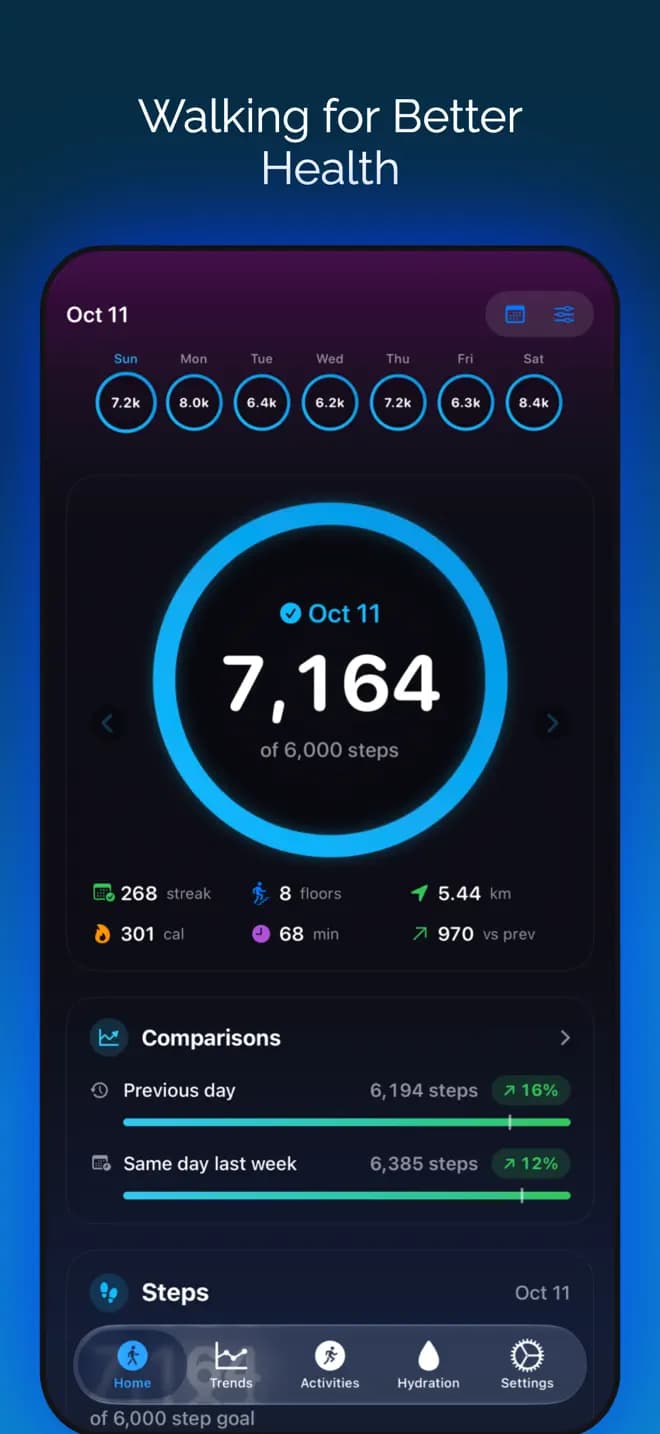
Today's steps against your goal, with streak, distance, calories and day comparisons. 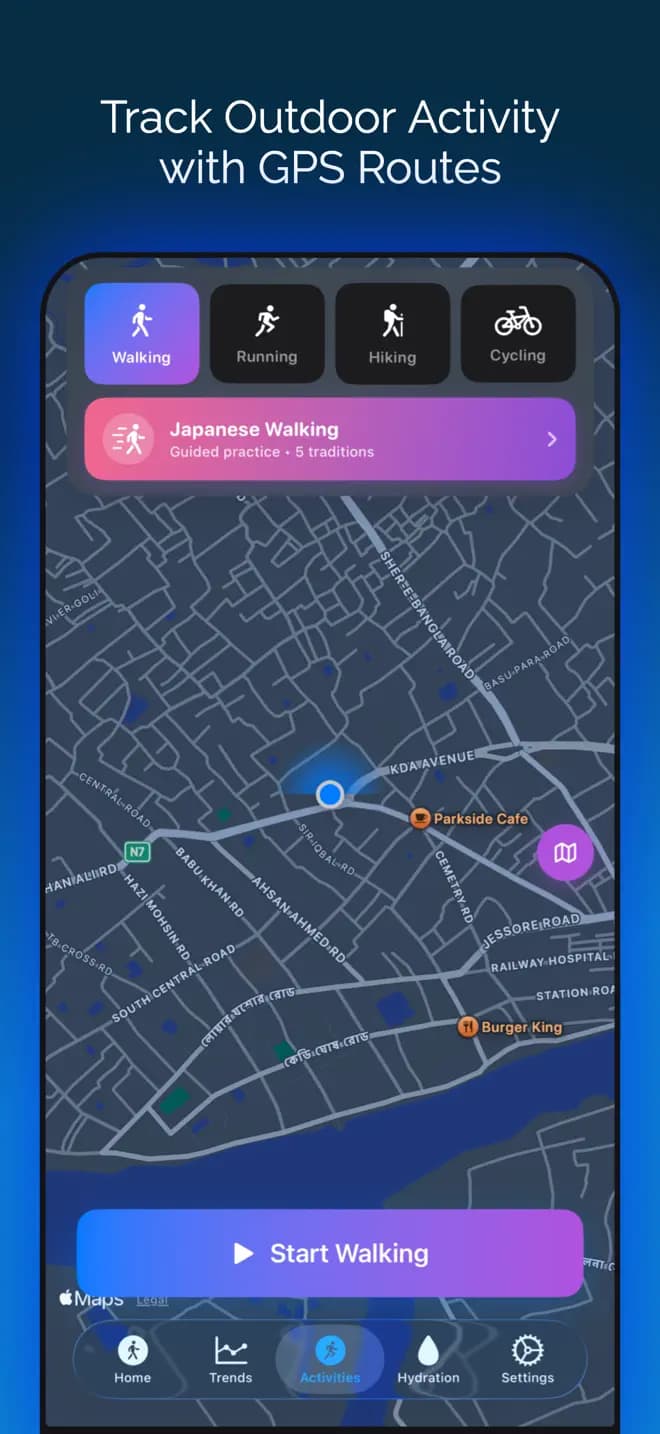
Pick walking, running, hiking or cycling and start recording a GPS route. 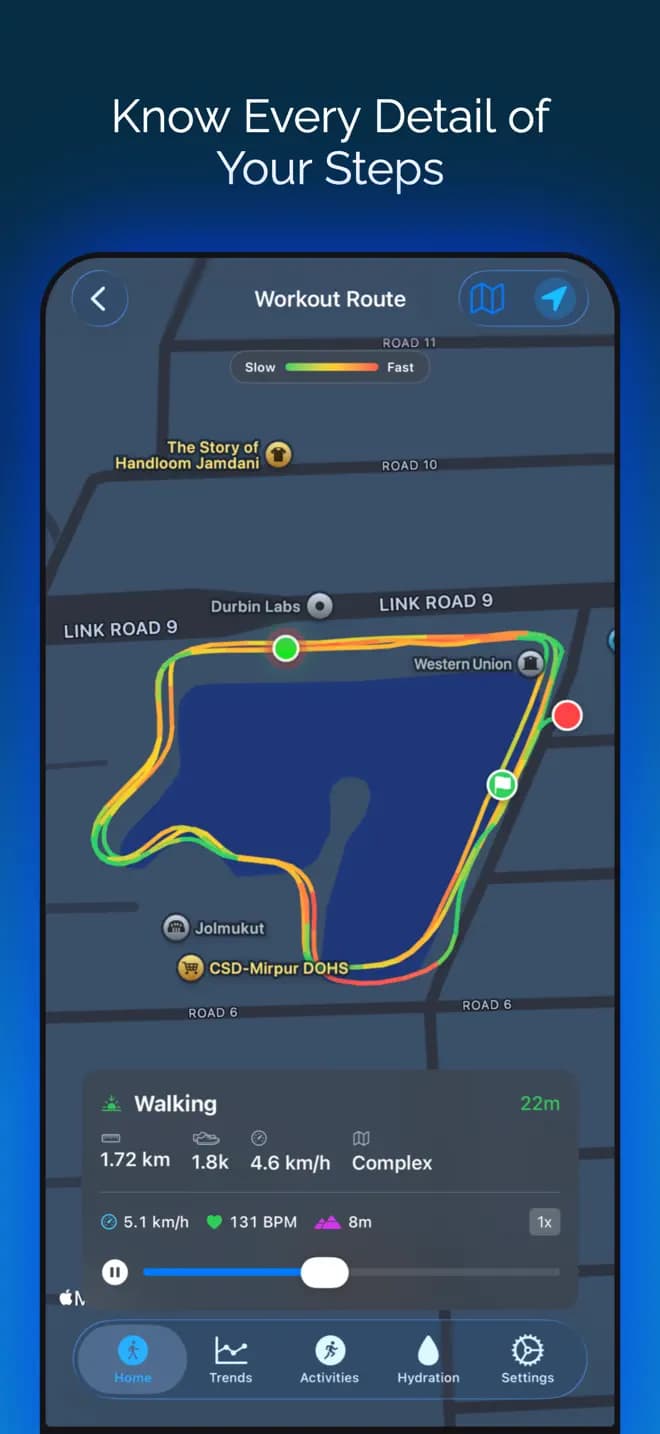
A recorded walk replayed on the map, colored by speed, with heart rate and elevation. 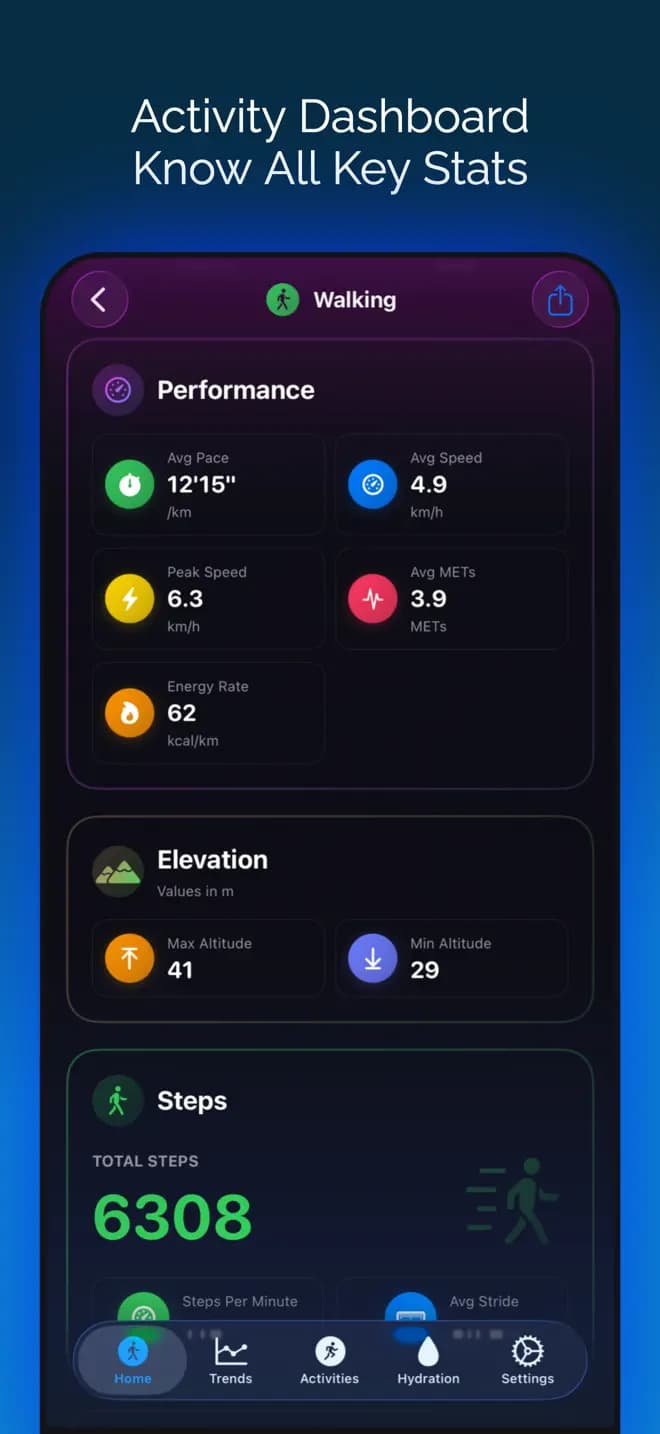
Pace, speed, METs, elevation and steps for every recorded workout. 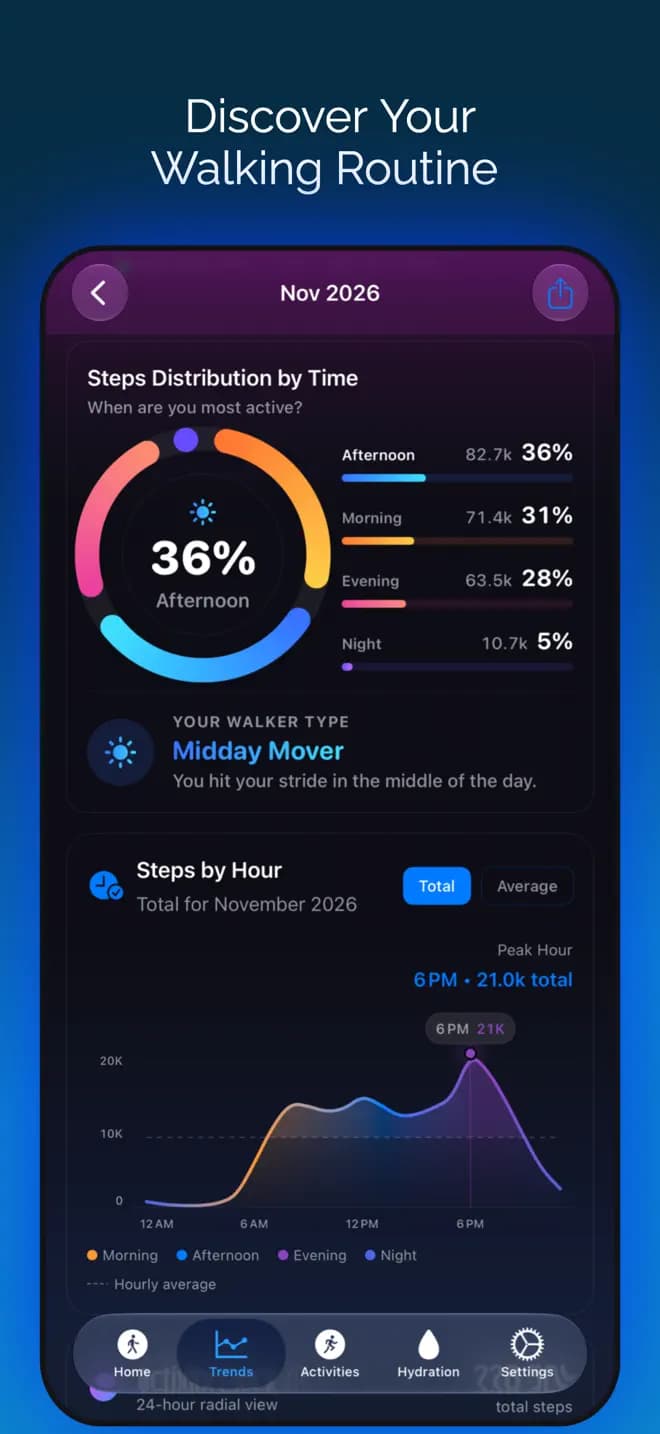
When you walk: steps by time of day and by hour across a month. 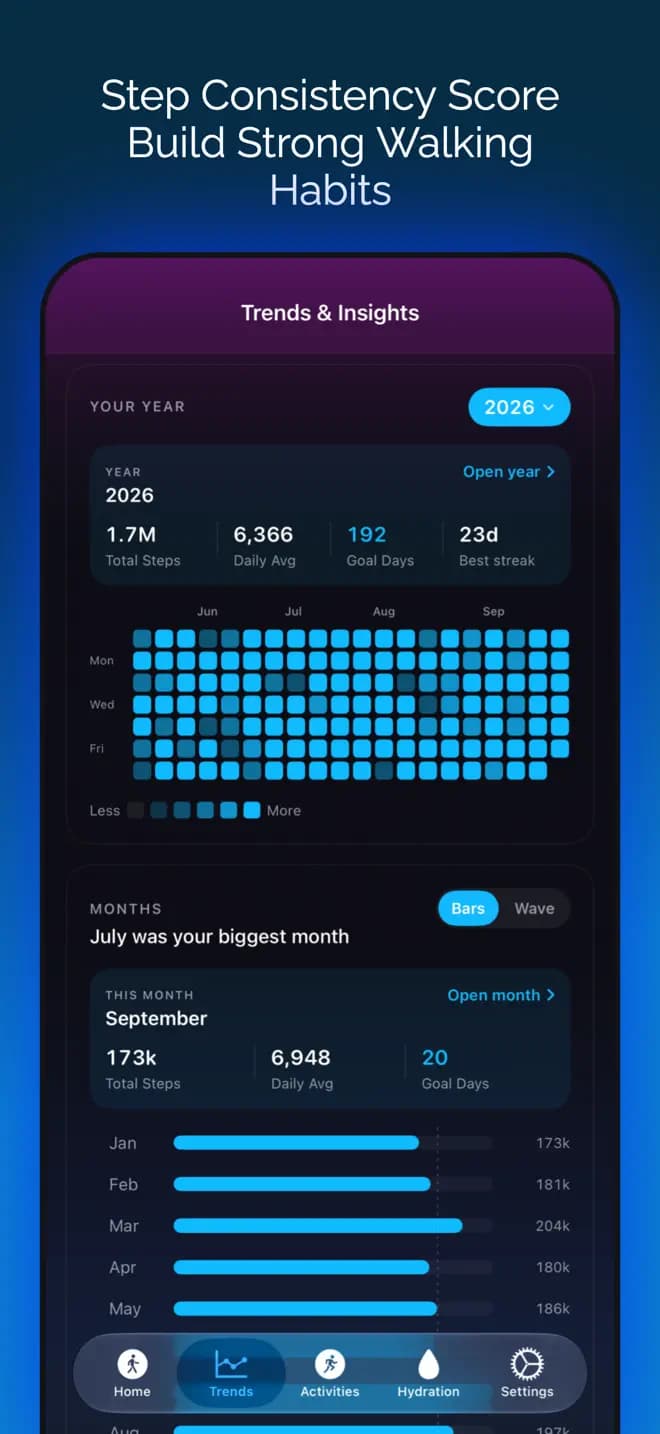
A year of steps as a heatmap, with monthly totals and goal days. 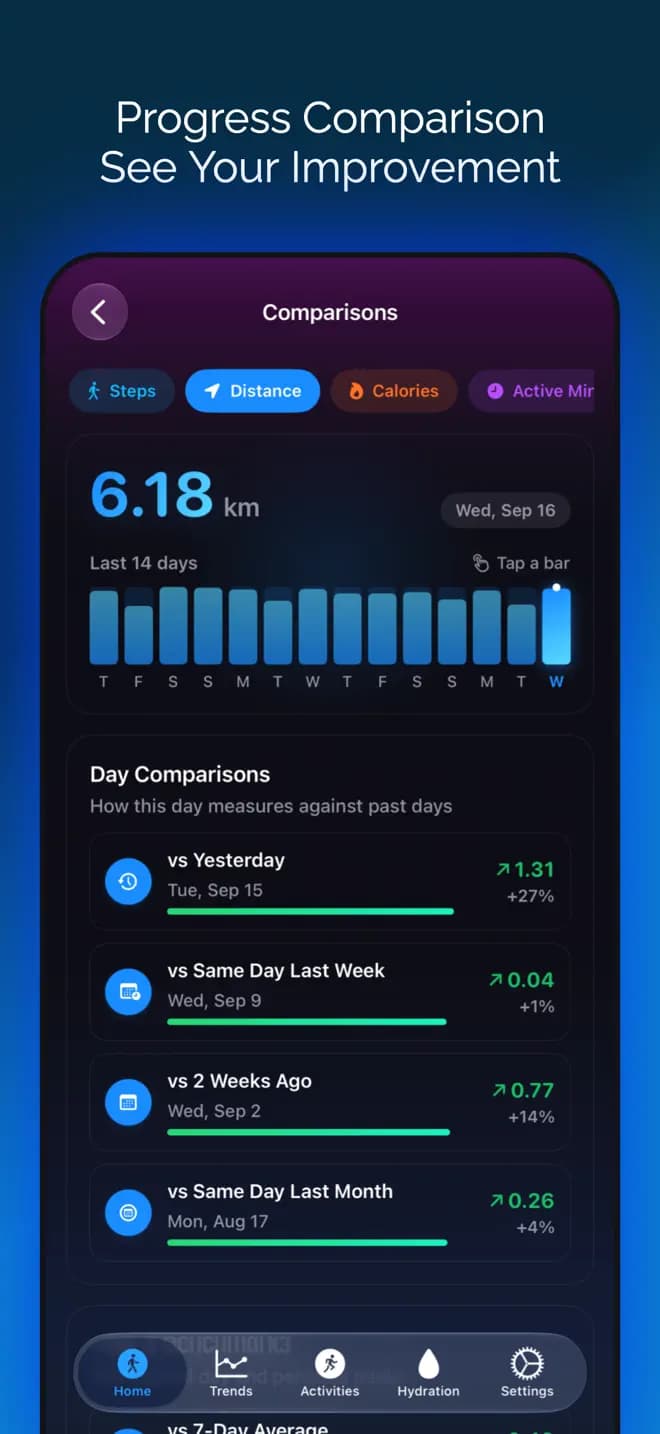
Any day against yesterday, last week and last month. 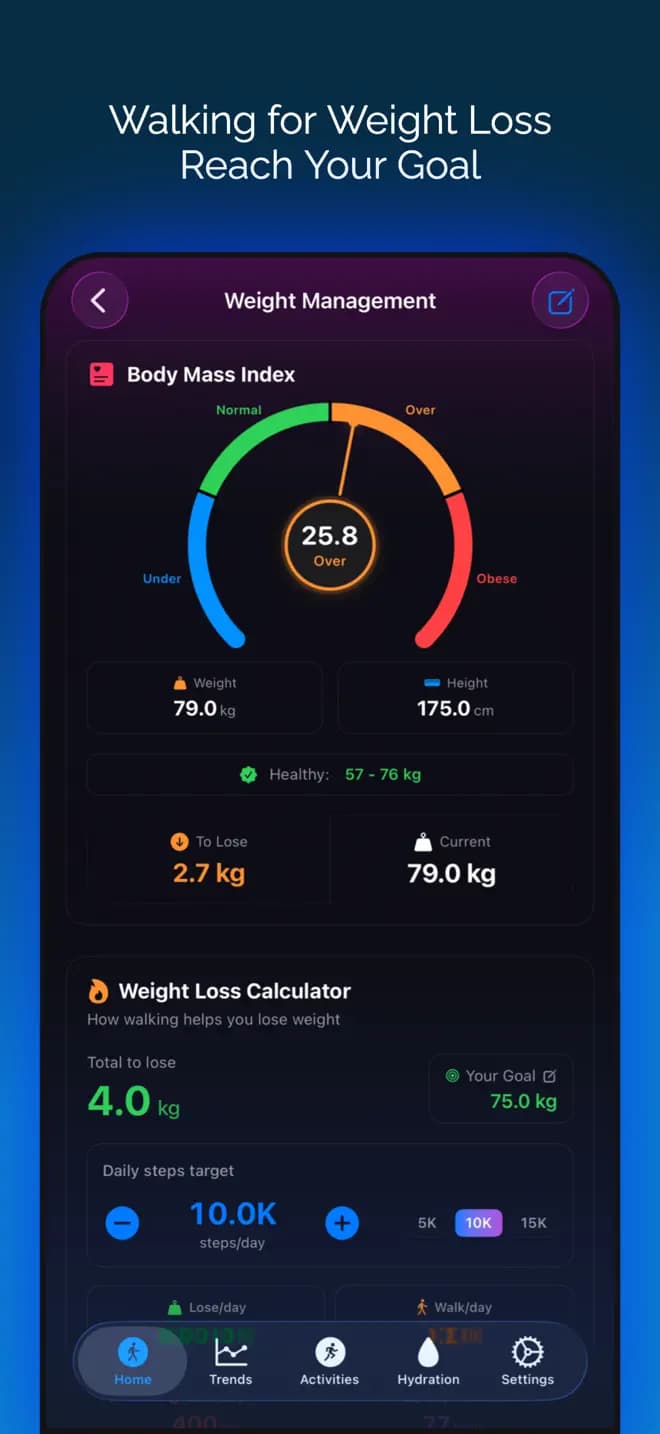
BMI, healthy range and a daily step target toward a goal weight. 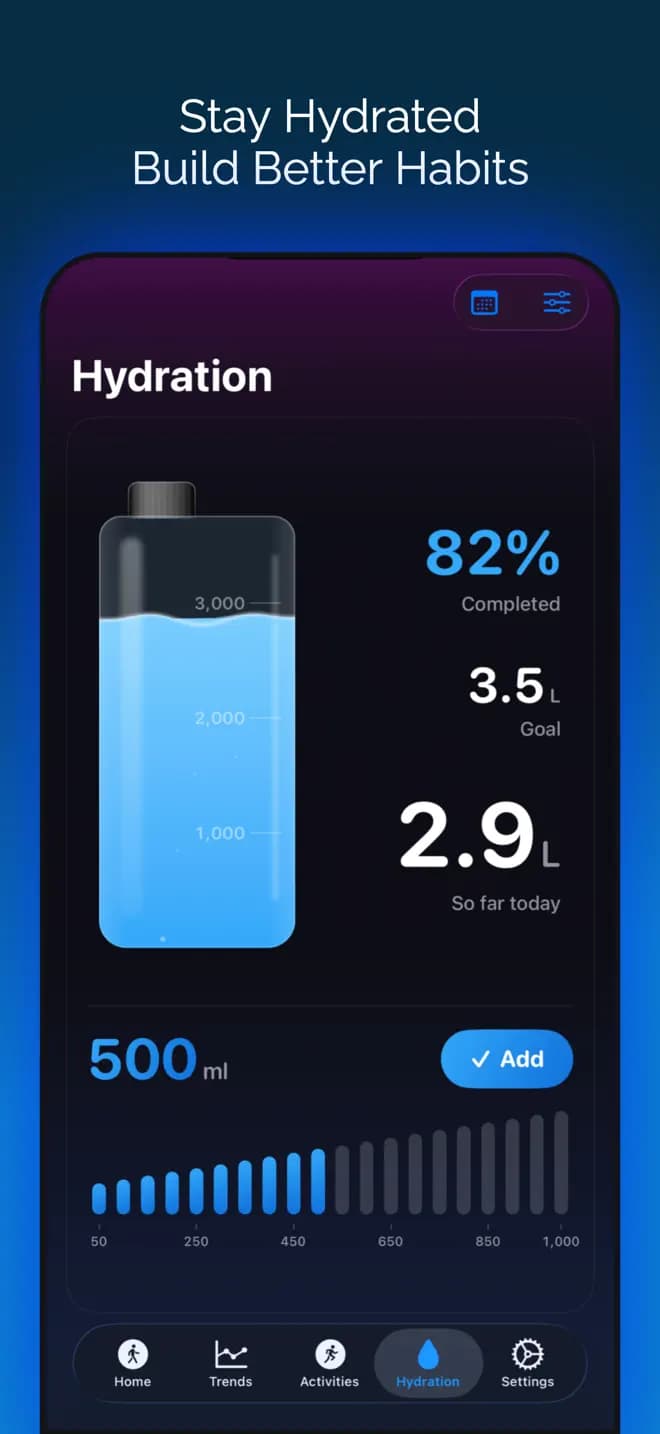
Water logged against an automatic daily goal. 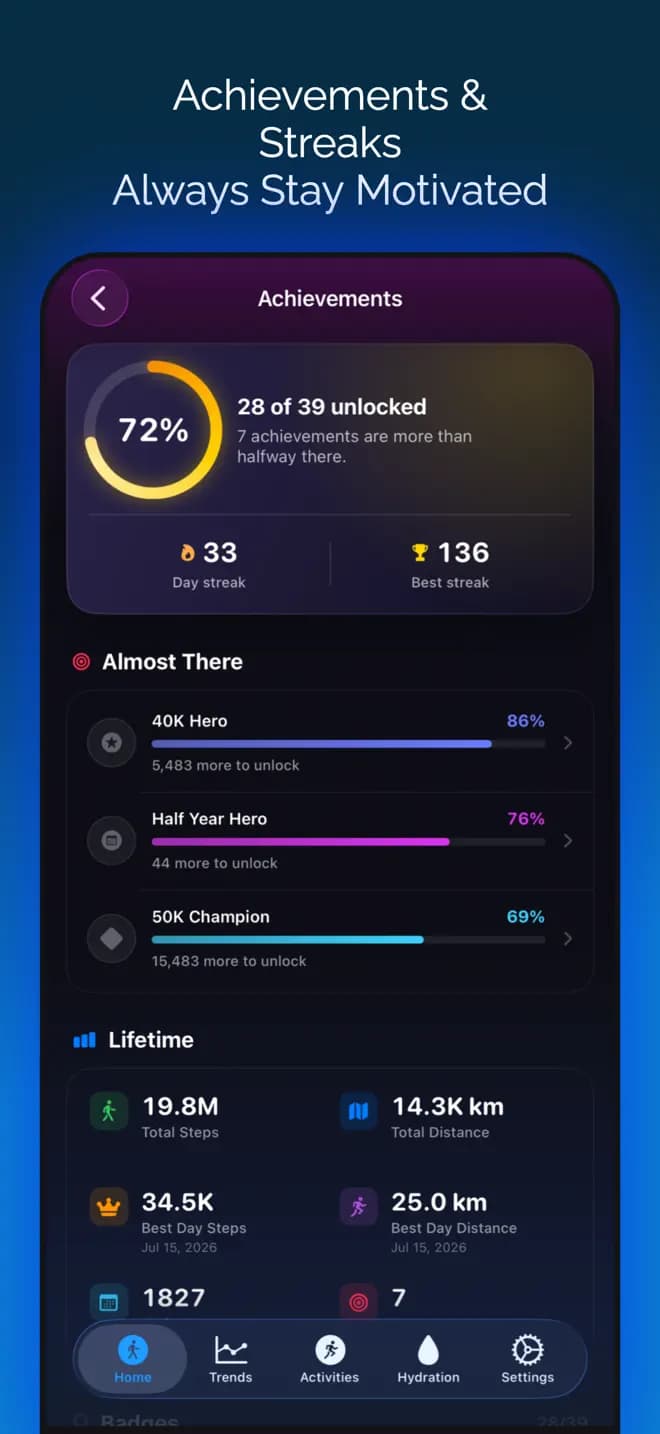
39 achievements, your current and best streak, and lifetime totals.
GPS WorkoutsEvery walk, run, hike and ride. Mapped.
Start from your iPhone, your wrist or Siri. Steply filters out bad GPS readings for a clean route, keeps your workout on the Lock Screen while you move, and saves it to Apple Health.
- Walk, Run, Hike, Cycle
- Live Activity
- Siri & Shortcuts
- Auto-Pause
- Crash recovery
- GPX import & export
Route ReplayWatch your workout come back to life.
Replay any route on the map, colored from green to red by speed, with your pace, heart rate and elevation playing back alongside. Then export it as a vertical video made for Stories.
- 0.5× to 4× playback
- Speed-colored route
- 1080×1920 video
- Classic & Clean styles
Japanese WalkingWalk the way Japan walks.
Five guided programs, each with its own rhythm, haptic beat and rotating cues. On iPhone and Apple Watch, and every session is saved to Apple Health.
- IWT30 min
Interval Walking
Five sets of three minutes fast and three minutes slow. The phase, set and time left stay on screen, in the Live Activity and on your wrist.
- Shinrin-yoku20 min
Forest Bathing
A slow, mindful walk with gentle prompts to breathe, listen and notice what's around you.
- Kinhin10 min
Zen Walking
Breath-paced walking with a soft haptic every few seconds, to step in time with each breath.
- Rajio taisō15 min
Radio Taiso Walk
A rhythmic warm-up cadence with quick haptic beats to match, plus cues for arm swing and posture.
- Fumikomi20 min
Power Walking
Deliberate, powerful steps to a steady haptic rhythm for a stronger workout.
Phases in the Dynamic Island.
During Interval Walking, the current phase and countdown stay on your Lock Screen and in the Dynamic Island.
Explore Japanese Walking ›
Insights & AnalyticsDiscover the patterns behind your steps.
A Consistency Score, a 24-hour activity clock, a week-by-hour heatmap and side-by-side comparisons of any two weeks, months or years, going back up to a decade.
- Consistency Score
- Activity Clock
- Weekly Patterns heatmap
- Trends Compare
Walking for Weight LossTurn steps into progress you can see.
Set a target weight and Steply estimates the daily steps to work toward it, then plots your weight trend next to the steps you walked between weigh-ins. Honest estimates, no crash-diet promises.
- Target-based step goal
- Healthy weight range
- Weight trend
- Steps per kg lost
Everywhere you lookOn your wrist. On your Lock Screen.
A complete Apple Watch app, ten widgets, one-tap water logging and a Live Activity for every workout.
Apple Watch
Six pages, GPS workouts with live heart rate, Japanese walking, water logging and 49 complications.
Widgets & Live Activities
Steps, hourly, weekly, streak, distance and hydration widgets, plus your workout in the Dynamic Island.
Live
Step count & goals
Updates the moment Apple Health does, with a goal from 500 to 100,000 steps.
39
Achievements
From First Steps to Marathon Master, Year Warrior and the 10 Million Legend.
Fair
Streaks
Today stays pending until midnight, so an unfinished day never breaks your streak.
Your health data stays yours.
No account. No ads. Your steps, routes and health data stay on your devices and in Apple Health, and Steply never uploads them.
Read the privacy policy ›Questions & answers
Can I use Steply without an Apple Watch?
Yes. Your iPhone works as a pedometer on its own, counting steps whenever you carry it, and Steply reads them from Apple Health. With an Apple Watch you also get steps when your phone isn't with you, plus heart rate during workouts.
Does Steply work on Apple Watch?
Yes. Steply has a native Apple Watch app (watchOS 10.6 or later) with complications. You can check today's progress, start GPS walks, runs, hikes and rides, and follow Japanese walking programs from your wrist.
Does Steply drain my battery?
Step counting uses very little battery, because your iPhone and Apple Watch already record steps in the background and Steply reads them from Apple Health. Recording an activity with GPS uses more battery, as with any GPS app.
Is my health data private?
Your steps, routes and other health data stay on your devices and in Apple Health; Steply never uploads them. There is no account and no ads. The app uses anonymous analytics (Google Analytics for Firebase) to count installs and basic usage, which never includes health data. See the privacy policy for details.
Does Steply sync with Apple Health?
Yes. Steply reads your steps, distance, heart rate and other activity data from Apple Health, and saves the walks, runs, hikes and rides you record as workouts with their routes. It does not write step counts, so your step total isn't double-counted.
More answers in Support ›
GuidesWalk smarter.
How to Choose a Step Counter App: What Actually Matters
What to look for in a step counter app: accuracy, battery, privacy, fair goals and data you can keep, plus phone vs smartwatch vs wrist tracker.
Read ›How to Set a Daily Step Goal (and Actually Hit It)
A practical guide to setting your first daily step goal: find your baseline, pick a realistic target, raise it gradually and build habits that make it stick.
Read ›10,000 Steps a Day: Where It Came From and What Science Says
10,000 steps began as a 1960s pedometer name in Japan. Here's what large studies since then say about daily steps, health and where the benefits level off.
Read ›