Why it mattersA screenshot doesn't do your walk justice.
Sharing a walk is part of what keeps people walking: a little accountability, a little pride, and a record of the places you went. But a cropped screenshot of a map and a list of numbers rarely looks like the effort it took.
Share Studio designs the image for you, at the full-screen 9:16 size Stories use, so every share looks finished without any editing.
Story-ready
Every card is 9:16, the full-screen Stories shape.
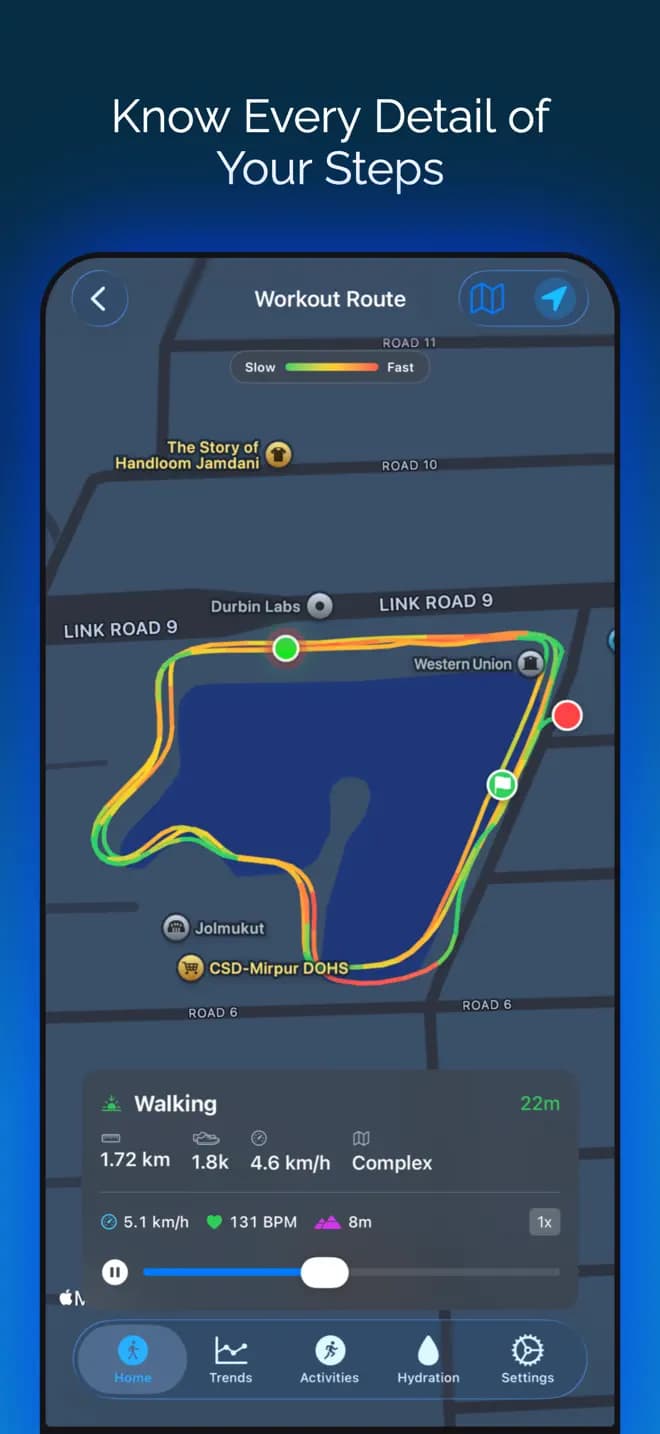
Your route, in color
Lines colored from green to red by speed, with a SLOW–FAST legend.
Your units
Distance and speed follow your km or mile setting.
Replay video, stats card and route posterThree designs, one swipe.
Open any workout and tap Share, then Share Studio. Swipe between the cards and share the one you like.
Replay
A rendered video of your route drawing itself across the map, with live counters.
Stats
A detailed workout summary card.
Poster
A minimal poster of your route, colored by speed.
Replay video format for Instagram StoriesA replay video built for Stories.
The Replay card renders a 1080 × 1920 video at 30 frames per second. Your route draws itself across a softened Apple Maps background, from a start dot to a finish flag, while distance, duration and speed count up live. A short outro adds your steps and calories.
Videos run 15 to 45 seconds depending on distance, so a short walk stays snappy and a long hike gets room to breathe. If you wore Apple Watch, switch on Live BPM to add your heart rate as the route plays.
Classic and Clean stylesClassic or Clean.
Pick the style for the Replay and Poster cards. Classic puts the workout name and date at the top with live counters. Clean uses a frosted panel with distance and steps as the hero numbers and duration, speed and BPM below.
Sharing to Instagram, Photos and MessagesPost, copy, save or send.
Tap Story to open Instagram Stories with your design ready to post. Or copy it, save it to Photos, or use the share sheet for Messages, AirDrop and everything else. Need the raw route instead? Export it as a GPX file from the same screen.
Sharing achievements and trend recapsMore than workouts.
Achievements share as an “Unlocked!” card with the date you earned them, or an In Progress card with your progress. Trends share as a Weekly, Monthly Recap or Year in Review card with your bar chart, daily average, best day, distance and goal days.
Questions about share studio
How do I share a walk to Instagram Stories?
Open the workout in Steply, tap Share, choose Share Studio, swipe to the design you want and tap Story. Steply hands the design to Instagram Stories, ready to post.
What size are Share Studio designs?
All three are 9:16, the full-screen shape used by Stories. The replay video is 1080 × 1920 at 30 frames per second, saved as an MP4.
How long is the replay video?
Between 15 and 45 seconds, depending on how far you went.
Can I share a workout without a GPS route?
Yes. Workouts without a route can still be shared as a Stats card or an image.
Can I add my heart rate to the video?
Yes. If the workout has heart rate data from Apple Watch, switch on Live BPM and the video shows your heart rate as the route plays.
Works well with.
Route Replay
Relive any workout as an animated, speed-colored replay and share it as a vertical video.
Learn more ›GPS Workouts
Record walks, runs, hikes and rides with a carefully filtered GPS route, saved to Apple Health.
Learn more ›GPX Import & Export
Export any workout as a standard GPX file, or import GPX routes from anywhere, cleaned of GPS glitches.
Learn more ›