Why it mattersYour routes should belong to you.
A route you've walked is part of your history. With GPX you can keep a copy, move it into mapping and planning tools, or share it with someone who wants to walk the same path.
Importing works the other way: bring in a trail you found online or a route recorded elsewhere, and see it in Steply alongside your own workouts.
Open standard
GPX 1.1, readable by mapping and fitness tools everywhere.
Clean data
Imported tracks are cleaned of impossible jumps and spikes.
Portable
Move routes freely between Steply and other mapping and fitness tools.
How to export a workout as a GPX fileExport any workout.
Open a recorded workout, tap Share and choose Export GPX. Steply writes a GPX 1.1 file with your full track, including elevation and a timestamp for every point, named after the workout and its date.
Send it with the share sheet: save it to Files, AirDrop it, or open it in another app.
How to import a GPX file on iPhoneImport routes from anywhere.
Go to Settings › Routes › GPX Routes and tap Import GPX, or open a .gpx file in Steply from another app. Steply reads both tracks and planned routes, names the route, and saves it to your GPX Routes list.
Automatic cleanup
A multi-step pass removes GPS glitches: impossible jumps, unrealistic speeds and accelerations, and elevation spikes over 50 m.
Instant overview
A map preview with distance, number of points, duration and import date.
Clear errors
If a file can't be used, Steply says why, for example “The file is not a valid GPX format.”
Viewing and replaying imported GPX routesReplay imported routes, too.
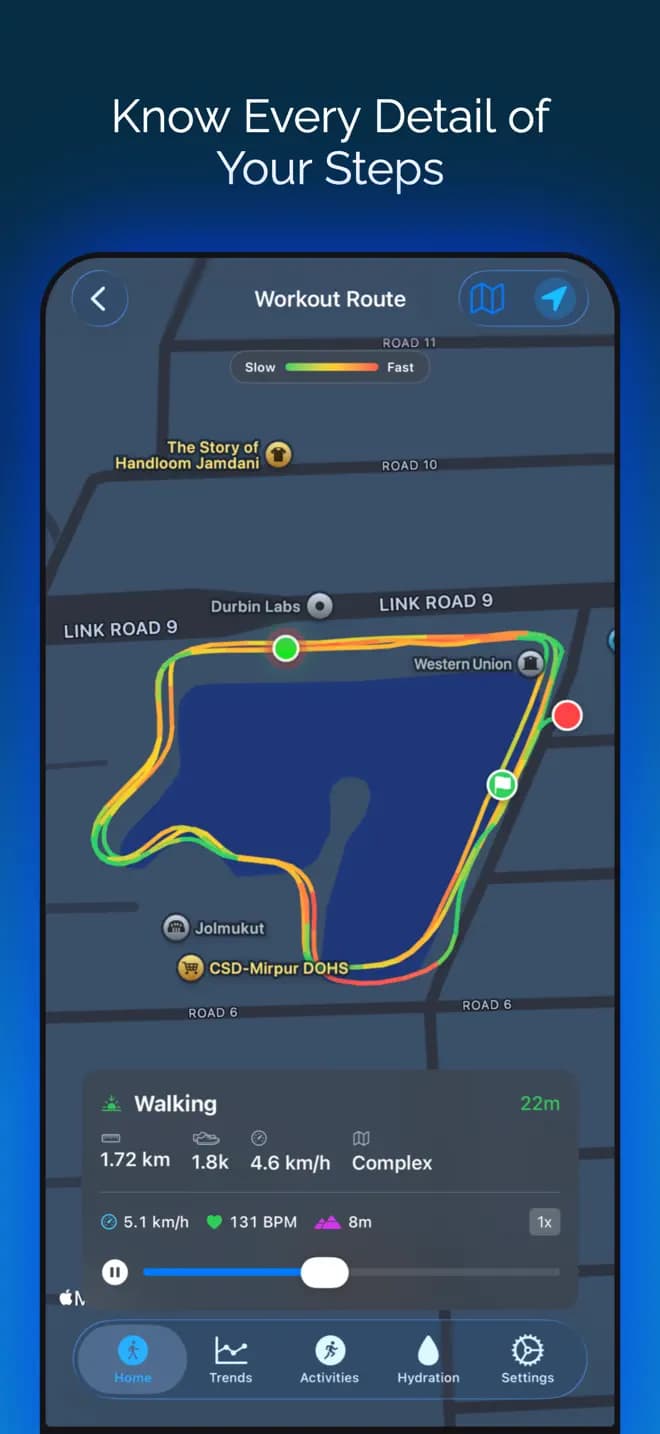
Open any imported route full screen and play it back with the same animated replay as your own workouts, at 0.5× to 4× speed, with scrubbing.
Questions about gpx import & export
How do I open a GPX file on iPhone?
Open the .gpx file in Steply from Files, Mail or AirDrop, or go to Settings › Routes › GPX Routes and tap Import GPX. Steply shows the route on a map with its distance and duration.
How do I export a GPX file from Steply?
Open a recorded workout, tap Share and choose Export GPX. The file includes your full track with elevation and timestamps.
How do I import a GPX file?
Go to Settings › Routes › GPX Routes and tap Import GPX, or open a .gpx file in Steply from another app.
Which GPX data does Steply read?
Track points and route points, including elevation and time when available. Glitches like impossible jumps and elevation spikes are removed automatically.
Works well with.
GPS Workouts
Record walks, runs, hikes and rides with a carefully filtered GPS route, saved to Apple Health.
Learn more ›Route Replay
Relive any workout as an animated, speed-colored replay and share it as a vertical video.
Learn more ›Apple Watch
A full watchOS app: today's progress, GPS workouts, Japanese walking, water and 49 complications.
Learn more ›