GPS Walking TrackerEvery walk, run, hike and ride. Mapped.
A GPS walking tracker that maps every walk, run, hike and ride. Start from your iPhone, your wrist or Siri: Steply records a clean GPS route, keeps it on your Lock Screen while you move, and saves it to Apple Health with distance, energy and elevation.
Why it mattersSteps tell you how much. Routes tell you the story.
A step count can't show where you went, how hilly it was or how your pace changed. Recording a workout gives every walk context, so you can repeat a favorite loop, measure a new route and see real progress over time.
Because everything is saved to Apple Health as a proper workout with its route, your activity counts everywhere you look, not just in Steply.
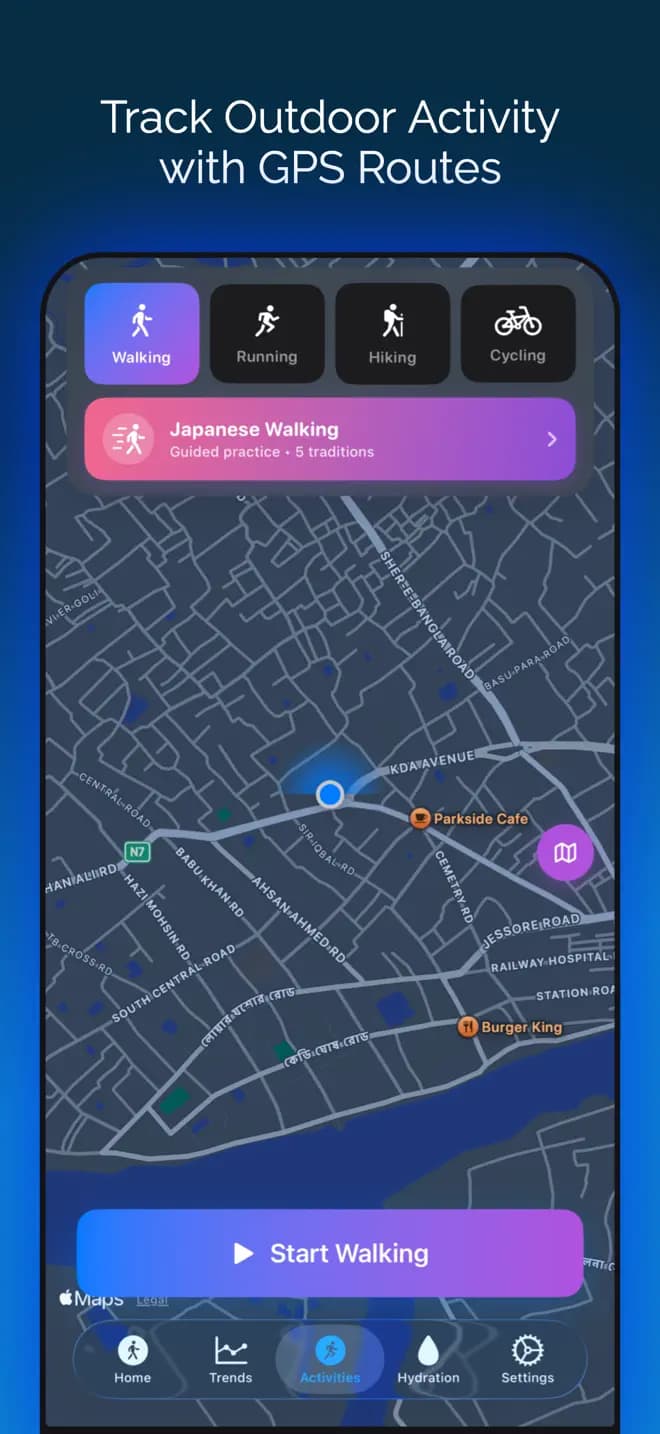
Four activities
Walk, Run, Hike and Cycle on iPhone and Apple Watch.
Trustworthy routes
Steply filters out inaccurate GPS fixes and jumps, so a weak signal doesn't add phantom distance.
Yours to keep
Workouts and routes go to Apple Health, and any route can be exported as a GPX file.
GPS accuracy and route filteringBuilt to record accurately.
Steply uses the iPhone's highest-precision fitness location mode and then checks every reading. Fixes with poor accuracy or stale timestamps are rejected, sudden jumps are ignored, and the route is gently smoothed so it follows the path you actually took.
Elevation gain is counted with a threshold that ignores GPS altitude noise. A live signal badge shows whether reception is Excellent, Good, Fair or Poor.
Background recording and Live ActivityStays with you when the screen is off.
Recording continues in the background with your iPhone locked, and a Live Activity keeps your workout on the Lock Screen and in the Dynamic Island.
Live stats
Time, distance, steps and average speed on screen; distance, pace and calories on the Lock Screen.
Pause & resume
Pause any time. Optional Auto-Pause stops distance and pace while you stand still.
Crash recovery
If the app is closed mid-workout, Steply offers to resume or discard the session next time.
Siri & Shortcuts
“Start a walk in Steply”, “Pause Steply”, “End my workout in Steply”, hands-free.
GPX export and importYour routes, your format.
Export any route as a standard GPX 1.1 file with elevation and timestamps, or import GPX tracks from elsewhere. Imported tracks are cleaned of distance, speed and elevation outliers.
Recording in mainland China? Steply can align your route with local maps automatically, while the saved data stays in standard GPS coordinates.
Recording GPS workouts on Apple WatchBetter with Apple Watch.
Start a workout on Apple Watch to record your route with live heart rate (current, average, min and max), calories and distance from your wrist. It's all saved to Apple Health as a workout.
Questions about gps workouts
How do I track my walking route on iPhone?
Open Steply's Activities tab, choose Walking and tap Start Walking. Steply records your route on the map with distance, pace and calories, and saves it to Apple Health when you finish. You can also say “Start a walk in Steply”.
Which activities can I record?
Walking, running, hiking and cycling, on iPhone and on Apple Watch.
Does recording continue with my iPhone locked?
Yes. Steply records in the background and shows a Live Activity on the Lock Screen and in the Dynamic Island.
Does Steply have Auto-Pause?
Yes, off by default. Turn it on in Settings › Auto-Pause to stop counting distance and pace while you stand still. The workout timer keeps running.
Can I see my heart rate during a workout?
Yes, when you record on Apple Watch. The iPhone alone doesn't measure heart rate.
Works well with.
Route Replay
Relive any workout as an animated, speed-colored replay and share it as a vertical video.
Learn more ›GPX Import & Export
Export any workout as a standard GPX file, or import GPX routes from anywhere, cleaned of GPS glitches.
Learn more ›Apple Watch
A full watchOS app: today's progress, GPS workouts, Japanese walking, water and 49 complications.
Learn more ›